Excel CHOOSE Function
Summary
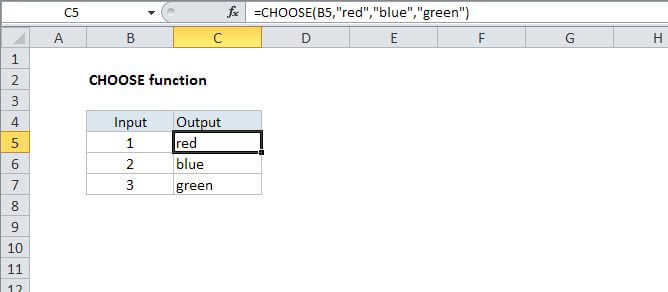
The Excel CHOOSE function returns a value from a list using a given position or index. For example, CHOOSE(2,"red","blue","green") returns "blue", since blue is the 2nd value listed after the index number. The values provided to CHOOSE can include references.
Purpose
Get a value from a list based on position
Return value
The value at the given position.
Syntax
=CHOOSE (index_num, value1, [value2], ...)
Arguments
- index_num - The value to choose. A number between 1 and 254.
- value1 - The first value from which to choose.
- value2 - [optional] The second value from which to choose.
Usage notes
Choose can handle up to 254 values. Index_num returns a value based on it's position in the list. For example, if index_num is 2, value2 is returned.
Values can also be references. For example, the address A1, or the ranges A1:10 or B2:B15 can be supplied as values.