Excel FORMULATEXT Function
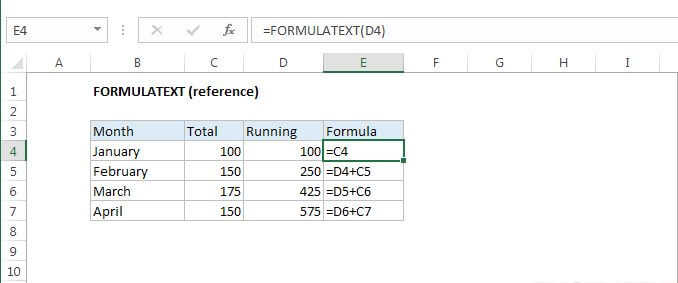
Summary
The Excel FORMULATEXT function returns a formula as a text string from given reference. You can use FORMULATEXT to extract a formula as text from a cell. If you use FORMULATEXT on a cell that doesn't contain a formula, you'll get an #N/A error.
Purpose
Get the formula in a cell
Return value
The formula as text
Syntax
=FORMULATEXT (reference)
Arguments
- reference - Reference to cell or cell range.
Usage notes
You can use the FORMULATEXT function to extract a formula as text from a cell. Once extracted, you can work with the formula like any other text.
Remember that you can temporarily display all formula in a worksheet with a keyboard shortcut.
If you just want to test to see if a cell contains a formula or not, use the ISFORMULA function.
Notes:
- If you use FORMULATEXT on a cell that doesn't contain a formula, you'll get an #N/A error.
- You can reference another workbook, but if the workbook is not open, you'll get an #N/A error.
- FORMULATEXT was introduced in Excel 2013.