Excel HYPERLINK Function
Summary
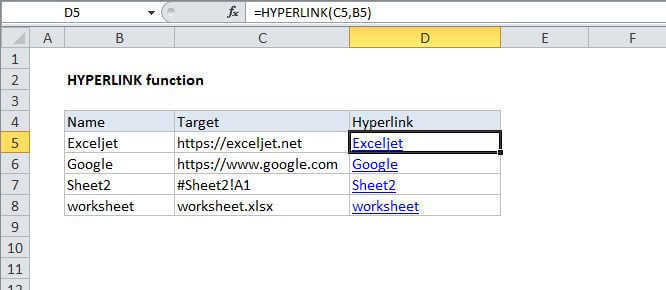
The Excel HYPERLINK function returns a hyperlink from a given destination and "friendly name". You can use HYPERLINK to construct a clickable hyperlink with a formula. The HYPERLINK function can build links to workbook locations, pages on the internet, or to files on network servers.
Purpose
Create a clickable link.
Return value
A clickable hyperlink
Syntax
=HYPERLINK (link_location, [friendly_name])
Arguments
- link_location - The path to the file or page to be opened.
- friendly_name - [optional] The link text to display in a cell.
Usage notes
Use the HYPERLINK function to create links to workbook locations, pages on the internet, or to files on network servers.
When a user clicks a cell that contains the HYPERLINK function, Excel will open the file or page specified by link_location. Link_location can be a cell reference or named range, a path to a file stored on a local drive, a path a file on a server using Universal Naming Convention (UNC) or a path to a location on the internet or an intranet in Uniform Resource Locator (URL) format.
- Link_location should be supplied as a text string in quotation marks or a cell reference that contains the link path as text.
- If friendly_name is not supplied, the HYPERLINK will display link_location as the friendly_name.
- To select a cell that contains HYPERLINK without jumping to the destination, use arrow keys to select the cell. Alternatively, click on the cell and hold the mouse button down until the cursor changes.