Average numbers

Generic formula 

=AVERAGE(range)

Related formulas 

Average top 3 scores

Explanation

To get the average of a set of numbers, use the AVERAGE function.

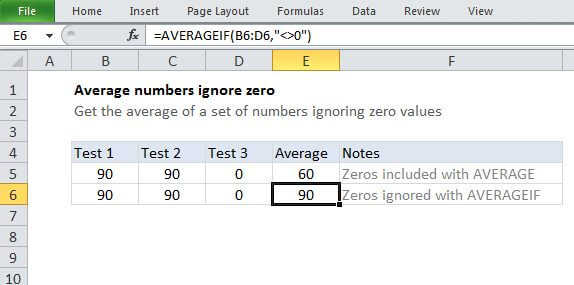
In the example shown, the formula in E5 is:

=AVERAGE(B5:D5)

which is then copied down the table.

How this formula works

AVERAGE is an automatic function in Excel. In most cases, you'll supply a range of cells to average, and the function will return the result. However, you can also supply inpidual arguments to the function, in cases where cells are non-adjacent.

Note that AVERAGE automatically ignores blank cells and text, but zero values are included.

Average numbers

Generic formula 

=AVERAGE(range)

Related formulas 

Average top 3 scores

Explanation

To get the average of a set of numbers, use the AVERAGE function.

In the example shown, the formula in E5 is:

=AVERAGE(B5:D5)

which is then copied down the table.

How this formula works

AVERAGE is an automatic function in Excel. In most cases, you'll supply a range of cells to average, and the function will return the result. However, you can also supply inpidual arguments to the function, in cases where cells are non-adjacent.

Note that AVERAGE automatically ignores blank cells and text, but zero values are included.