Excel ROW Function
Summary
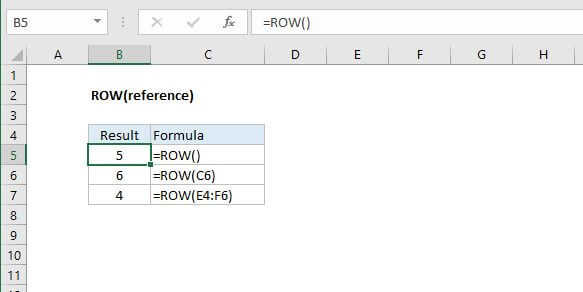
The Excel ROW function returns the row number for a reference. For example, ROW(C5) returns 5, since C5 is the firth row in the spreadsheet. When no reference is provided, ROW returns the row number of the cell which contains the formula.
Purpose
Get the row number of a reference
Return value
A number representing the row.
Syntax
=ROW ([reference])
Arguments
- reference - [optional] A reference to a cell or range of cells.
Usage notes
Use the ROW function to get the row number for a cell reference or a range.
- Reference is optional and will default to the cell in which the COLUMN function exists.
- Reference cannot include multiple references or addresses.