Excel ROWS Function
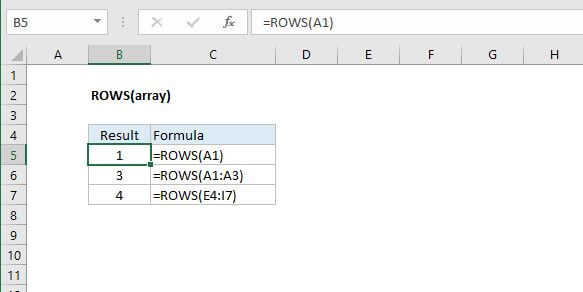
Summary
The Excel ROWS function returns the count of rows in a given reference. For example, ROWS(A1:A3) returns 3, since the range A1:A3 contains 3 columns.
Purpose
Get the number of rows in an array or reference.
Return value
A number representing row count.
Syntax
=ROWS (array)
Arguments
- array - A reference to a cell or range of cells.
Usage notes
Use ROWS to get the column count of a reference. For example, the formula =ROWS(A1:A10) returns the number 10.
Array can be an array, an array formula, or a reference to a single contiguous group of cells.