Excel ASIN Function
Summary
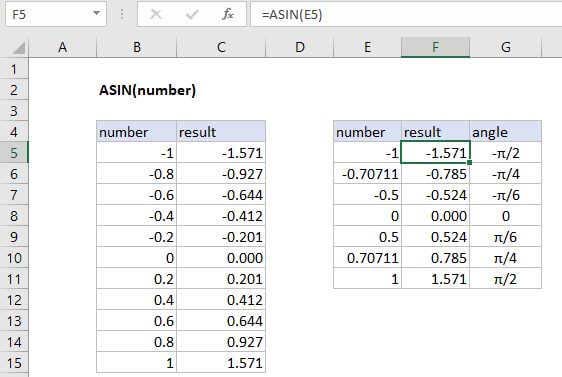
The Excel ASIN function returns the arcsin of a number.
Purpose
Get the angle of a triangle.
Return value
Angle in Radians
Syntax
=ASIN (number)
Arguments
- number - The ratio of the opposite-side over the hypotenuse of a right-triangle.
Usage notes
ARCSIN expects an input between -1 and 1, where the input is a ratio of the opposite-side over the hypotenuse of a right triangle.
θ = ASIN(opposite/adjacent) // Where θ is the angle
Inverse
ARCSIN( ratio) is the inverse of SIN(angle)
= angle = ARCSIN( SIN(angle))
Return Type
To convert from radians to degrees multiply by 180/pi() or use the DEGREES function.
= angle * 180/PI()
= DEGREES( angle)