Excel DEGREES Function
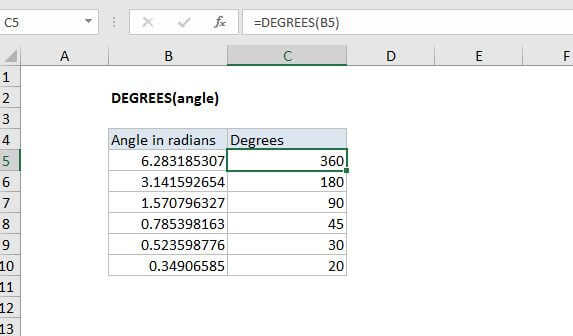
Summary
The Excel DEGREES function converts angles (expressed in radians) to degrees. For example, the formula =DEGREES(PI()) returns 180.
Purpose
Converts radians to degrees
Return value
Degrees
Syntax
=DEGREES (angle)
Arguments
- angle - Angle in radians that you want to convert to degrees.
Usage notes
The DEGREES function takes an angle in radians and converts it to degrees.
Converting degrees to radians
Because Pi = 180°, you can use the general formula degrees * PI()/180 to get radians. For example, to convert 45° to radians, the Excel formula would be 45*PI( )/180 which equals 0.7854 radians. More examples in the table below:
| Formula | Degrees |
|---|---|
| =2*PI() | 360 |
| =PI() | 180 |
| =90*PI()/180 | 90 |
| =45*PI()/180 | 45 |
| =30*PI()/180 | 30 |
| =20*PI()/180 | 20 |