Count cells that are blank
Generic formula
=COUNTBLANK(rng)
Related formulas
All cells in range are blank
Explanation
To count the number of cells that are blank, you can use the COUNTBLANK function. In the generic form of the formula (above) rng represents a range of cells.
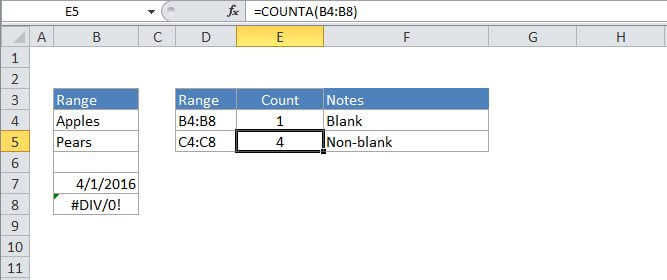
In the example, the active cell contains this formula:
=COUNTBLANK(B4:B8)
How this formula works
COUNTIF counts the number of cells in the range that don't contain any value and returns this number as the result. Cells that contain text, numbers, dates, errors, etc. are not counted.
You can easily count cells that are not blank using COUNTA function with the same range like so:
=COUNTA(B4:B8)