Excel ODD Function
Summary
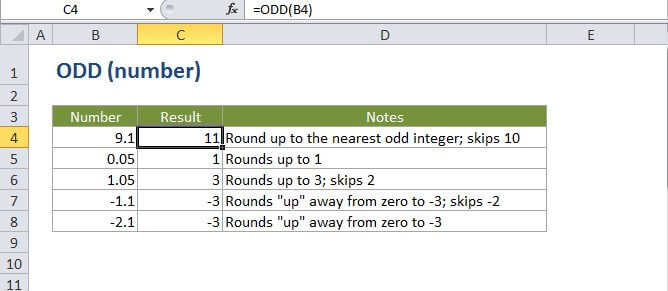
The Excel ODD function returns the next odd integer after rounding a given number up. The ODD function always rounds numbers up (away from zero) so positive numbers become larger and negative numbers become smaller (i.e. more negative).
Purpose
Round a number up to the next odd integer
Return value
A rounded number.
Syntax
=ODD (number)
Arguments
- number - The number to round up to an odd integer.
Usage notes
The ODD function always rounds up to the next odd integer, skipping even integers along the way.
Note if you are using ODD with negative numbers, values are rounded away from zero, so they actually become more negative.