Excel PI Function

Summary

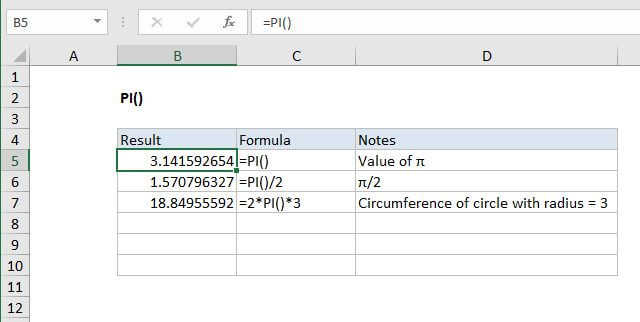
The Excel PI function returns the value of pi. For example, the formula =2*PI() * 3 returns the circumference of a circle with a radius of 3.

Purpose

Get the value of π

Return value

3.14159265358979

Syntax

=PI ()

Arguments

Usage notes

The return value, 3.14159265358979, is accurate to 15 digits. Here are a few formula examples:

=PI()=PI()/2=2*PI()*r


Excel PI Function

Summary

The Excel PI function returns the value of pi. For example, the formula =2*PI() * 3 returns the circumference of a circle with a radius of 3.

Purpose

Get the value of π

Return value

3.14159265358979

Syntax

=PI ()

Arguments

Usage notes

The return value, 3.14159265358979, is accurate to 15 digits. Here are a few formula examples:

=PI()=PI()/2=2*PI()*r