Excel COMBIN Function
Summary
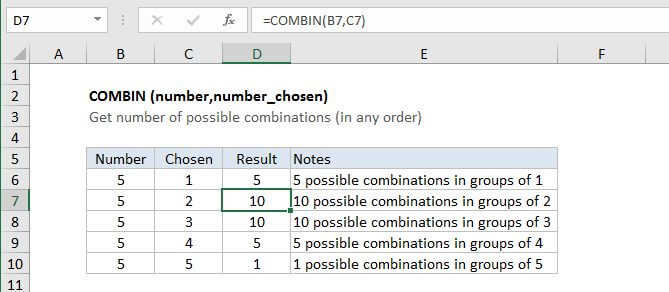
The Excel Combin function returns the number of combinations (in any order) of a given number of items. To use COMBIN, specify the total number of items and "number chosen" which represents the number of items in each combination.
Purpose
Get total number of combinations
Return value
Total possible combinations as an integer
Syntax
=COMBIN (number, number_chosen)
Arguments
- number - The total number of items.
- number_chosen - The number of items in each combination.
Usage notes
- A combination is any a group of items in any order. If order is significant, use the PERMUT function.
- Arguments that contain decimal values are truncated to integers.
- COMBIN returns a #VALUE! error value if either argument is not numeric.
- If number is less than number chosen, COMBIN returns #NUM!
Excel COMBIN Function

Summary
The Excel Combin function returns the number of combinations (in any order) of a given number of items. To use COMBIN, specify the total number of items and "number chosen" which represents the number of items in each combination.
Purpose
Get total number of combinations
Return value
Total possible combinations as an integer
Syntax
=COMBIN (number, number_chosen)
Arguments
- number - The total number of items.
- number_chosen - The number of items in each combination.
Usage notes
- A combination is any a group of items in any order. If order is significant, use the PERMUT function.
- Arguments that contain decimal values are truncated to integers.
- COMBIN returns a #VALUE! error value if either argument is not numeric.
- If number is less than number chosen, COMBIN returns #NUM!