Excel COUNTA Function
Summary
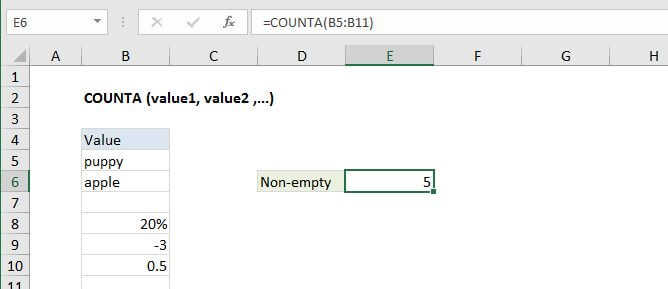
The Excel COUNTA function returns the count of cells that contain numbers, text, logical values, error values, and empty text (""). COUNTA does not count empty cells.
Purpose
Count the number of non-blank cells
Return value
A number representing non-blank cells.
Syntax
=COUNTA (value1, [value2], ...)
Arguments
- value1 - An item, cell reference, or range.
- value2 - [optional] An item, cell reference, or range.
Usage notes
- Use the COUNTA function to count cells that contain numbers, text, logical values, error values, and empty text (""). COUNTA does not count empty cells.
- COUNTA will also count hard-coded values. For example, =COUNTA("a",1,2,3,"") returns 5.
- To count numeric values only, use the COUNT function.
Excel COUNTA Function

Summary
The Excel COUNTA function returns the count of cells that contain numbers, text, logical values, error values, and empty text (""). COUNTA does not count empty cells.
Purpose
Count the number of non-blank cells
Return value
A number representing non-blank cells.
Syntax
=COUNTA (value1, [value2], ...)
Arguments
- value1 - An item, cell reference, or range.
- value2 - [optional] An item, cell reference, or range.
Usage notes
- Use the COUNTA function to count cells that contain numbers, text, logical values, error values, and empty text (""). COUNTA does not count empty cells.
- COUNTA will also count hard-coded values. For example, =COUNTA("a",1,2,3,"") returns 5.
- To count numeric values only, use the COUNT function.