Excel GEOMEAN Function
Summary
The Excel GEOMEAN function returns the geometric mean for a set of numeric values. Geometric mean can be used to calculate average rate of return with variable rates.
Purpose
Calculate geometric mean
Return value
Calculated mean
Syntax
=GEOMEAN (number1, [number2], ...)
Arguments
- number1 - First value or reference.
- number2 - [optional] Second value or reference.
Usage notes
The Excel GEOMEAN function calculates the geometric mean. Geometric mean is the average rate of return of a set of values calculated using the products of the terms. The general formula for the geometric mean of N numbers is the Nth root of their product.
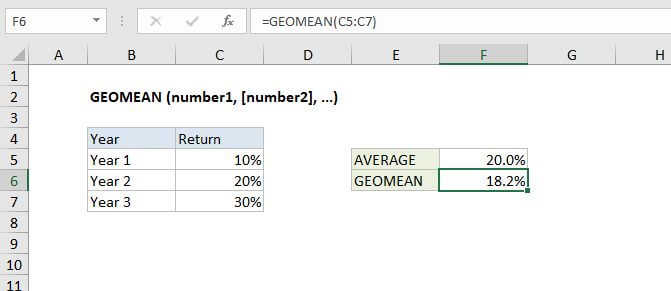
In the example shown, the formula in F6 is:
=GEOMEAN(C5:C7)
Which calculates geometric mean as described above, equivalent to either of the two formulas below:
=(0.1*0.2*0.3)^(1/3)=POWER(0.1*0.2*0.3,1/3)
Notes
- Arguments can be numbers, names, arrays, or references that contain numbers.
- Empty cells, and cells that contain text or logical values are ignored.