Excel LARGE Function
Summary
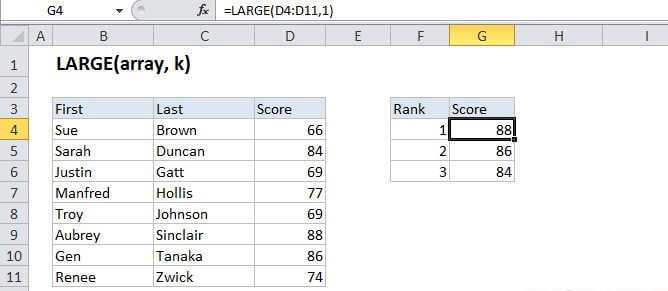
The Excel LARGE function returns numeric values based on their position in a list when sorted by value. In other words, it can retrive "nth largest" values - largest value, 2nd largest value, 3rd lagest value, etc.
Purpose
Get the nth largest value
Return value
The nth largest value in the array.
Syntax
=LARGE (array, n)
Arguments
- array - The array from which you want to select the kth largest value.
- n - An integer that specifies the position from the largest value, i.e. the nth position.
Usage notes
The LARGE function is useful when you want to retrieve the nth highest value from a set of data — for example, the first, second, or third highest scores for a test. Like the SMALL function, the LARGE function retrieves numeric values based on their position in a list when sorted by value.
Note: Microsoft documentation refers to "k" instead of "n". We use n because "nth" is much easier to say.