Excel MIN Function
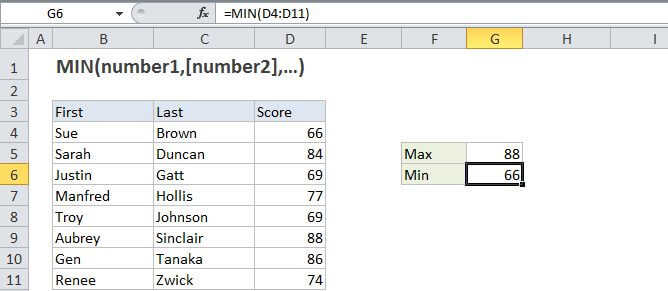
Summary
The Excel MIN function returns the smallest numeric value in a range of values. The MIN function ignores empty cells, the logical values TRUE and FALSE, and text values.
Purpose
Get the smallest value.
Return value
The smallest value in the array.
Syntax
=MIN (number1, [number2], ...)
Arguments
- number1 - Number, reference to numeric value, or range that contains numeric values.
- number2 - [optional] Number, reference to numeric value, or range that contains numeric values.
Usage notes
The MIN function can be used to return the smallest value from a set of data. For example, the fastest time in a race, the lowest temperature, or the smallest sales number. Arguments can be provided as constants, or as cell references or ranges, for example:
=MIN(5,10)=MIN(A1,A2,A3)-MIN(A1:A10)
Notes:
- The MIN function ignores empty cells.
- The MIN function in current versions of Excel accepts up to 255 arguments. If arguments contain no numbers, MIN returns 0.
- Arguments can be provided as numbers, names, arrays, or references that contain numbers.
- The MIN function ignores TRUE and FALSE values, and numbers entered as text, unless they are typed directly into the list of arguments.
- To include logical values in a reference, see the MINA function.