Excel DAYS360 Function
Summary
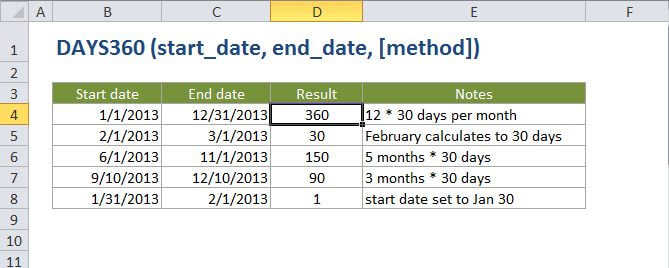
The Excel DAYS360 function returns the number of days between two dates based on a 360-day year. Calculations based on a 360-day year comes from certain accounting calculations where all 12 months are considered to have 30 days.
Purpose
Get days between 2 dates in a 360-day year
Return value
A number representing days.
Syntax
=DAYS360 (start_date, end_date, [method])
Arguments
- start_date - The start date.
- end_date - The end date.
- method - [optional] The type of day count basis to use. FALSE (default) is US method, TRUE is European method.
Usage notes
Notes on method:
FALSE - (default) - US method. when the start date is the last day of the month, it is set to the 30th day of the same month. When the end date is the last day of the month, and the start date <>
TRUE - European method. Starting dates and ending dates equal to the 31st of a month are set to the 30th of the same month.