Excel TRIMMEAN Function
Summary
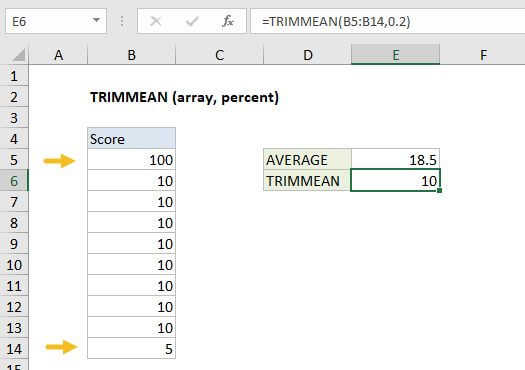
The Excel TRIMMEAN function calculates mean (average) while excluding outliers. The number of data points to exclude is provided as a percentage.
Purpose
Calculate mean excluding outliers
Return value
Calculated mean
Syntax
=TRIMMEAN (array, percent)
Arguments
- array - Values to trim and average.
- percent - The number of data points to exclude from the calculation.
Usage notes
The Excel TRIMMEAN function calculates mean (average) while excluding outliers. The number of data points to exclude is provided as a percentage.
TRIMMEAN works by first excluding values from the top and bottom of a data set, then calculating mean. The number of data points is provided as a percentage. The percentage can be input either in decimal format or percent format:
=TRIMMEAN(A1:A100,0.1) // exclude 10%=TRIMMEAN(A1:A100,10%) // exclude 10%=TRIMMEAN(A1:A100,0.2) // exclude 20%=TRIMMEAN(A1:A100,20%) // exclude 20%
It's important to note that TRIMMEAN rounds excluded data points down to the nearest multiple of 2. For example, with 50 data points, 10% equals 5 values. In this case, TRIMMEAN will round 5 down to 4, then exclude two values from the top, of the data set, and two values from the bottom of the data set.