Excel CHAR Function
Summary
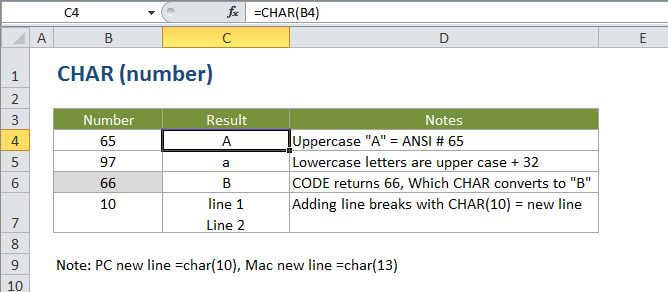
The Excel CHAR function returns a character when given a valid character code. CHAR can be used to specify characters that are hard to enter in a formula. For example, CHAR(10) returns a line break on Windows, and CHAR(13) returns a line break on the Mac.
Purpose
Get a character from a number
Return value
A single character specified by a number.
Syntax
=CHAR (number)
Arguments
- number - A number between 1 and 255.
Usage notes
Use CHAR to translate code page numbers into actual characters.
CHAR can be useful when you want to specify characters in formulas or functions that are awkward or impossible to type directly. For example, you can use CHAR(10) to add a line break in a formula on Windows, and CHAR(13) to add a line break on the Mac.
The character returned is based on the character set used by your computer:
http://en.wikipedia.org/wiki/Windows-1252 - Windows
http://en.wikipedia.org/wiki/Mac_OS_Roman - Mac