Excel CODE Function
Summary
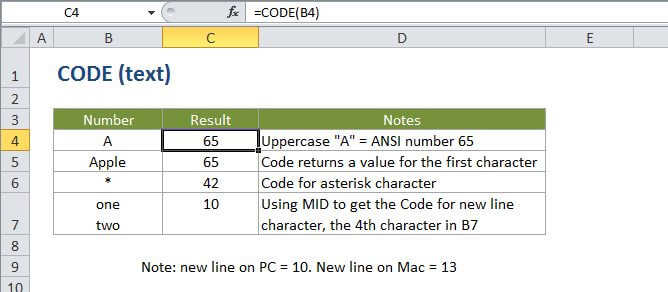
The Excel CODE function returns a numeric code for a given character. For example, CODE("a") returns the code 97. The CODE function can be used to figure out numeric codes supplied to the CHAR function.
Purpose
Get the code for a character
Return value
A numeric code representing a character.
Syntax
=CODE (text)
Arguments
- text - The text for which you want a numeric code.
Usage notes
CODE returns a numeric code for the first character in a text string. The code is based on the character set used by your computer.
Links:
http://en.wikipedia.org/wiki/Windows-1252 - Windows
http://en.wikipedia.org/wiki/Mac_OS_Roman - Mac