Excel EXACT Function
Summary
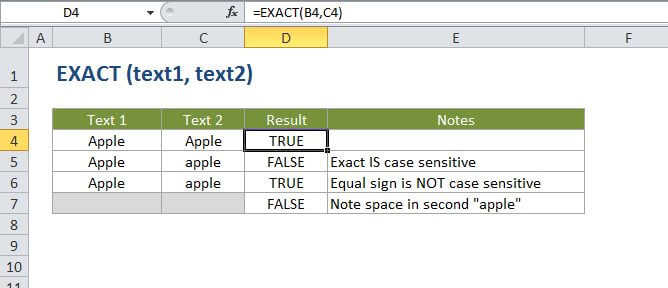
The Excel EXACT function compares two text strings, taking into account upper and lower case characters, and returns TRUE if they are the same, and FALSE if not. EXACT is case-sensitive.
Purpose
Compare two text strings
Return value
A boolean value (TRUE or FALSE)
Syntax
=EXACT (text1, text2)
Arguments
- text1 - The first text string to compare.
- text2 - The second text string to compare.
Usage notes
EXACT will compare two text strings and return TRUE if they are the same, and FALSE if not. EXACT is case-sensitive.
You can also use the equal sign in a formula (text1=text2) to compare text strings. However, the equal sign is not case sensitive.