Excel MID Function
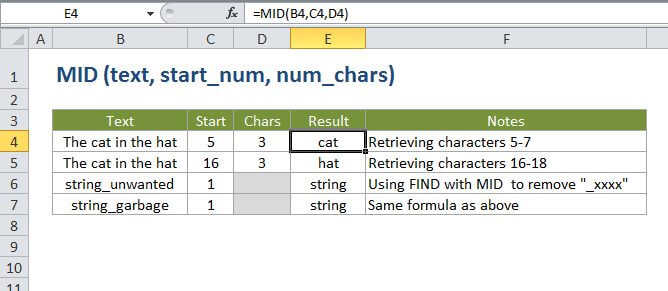
Summary
The Excel MID function extracts a given number of characters from the middle of a supplied text string. For example, =MID("apple",2,3) returns "ppl".
Purpose
Extract text from inside a string
Return value
The characters extracted.
Syntax
=MID (text, start_num, num_chars)
Arguments
- text - The text to extract from.
- start_num - The location of the first character to extract.
- num_chars - The number of characters to extract.
Usage notes
- MID returns a specific number of characters from a text string, starting at start_num and continuing through start_num + num_chars.
- Use the MID function when you want to extract text from inside a text string, based on location and length.
- Use FIND or SEARCH to locate start_sum when you don't know the location in advance.