Excel REPLACE Function
Summary
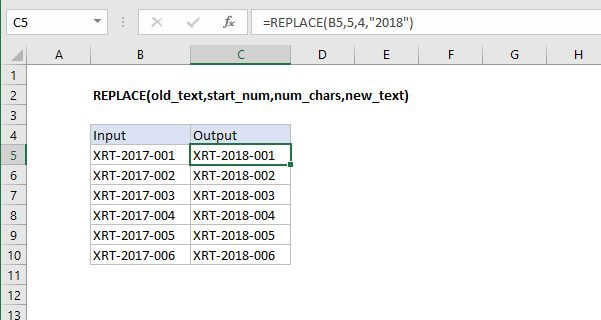
The Excel REPLACE function replaces characters specified by location in a given text string with another text string. For example =REPLACE("XYZ123",4,3,"456") returns "XYZ456".
Purpose
Replace text based on location
Return value
The altered text.
Syntax
=REPLACE (old_text, start_num, num_chars, new_text)
Arguments
- old_text - The text to replace.
- start_num - The starting location in the text to search.
- num_chars - The number of characters to replace.
- new_text - The text to replace old_text with.
Usage notes
- Use the REPLACE function when you want to replace text based on its location in a string.
- Use FIND or SEARCH to find the location of text to replace it it's not known in advance.
- Use SUBSTITUTE to replace text based on content.
Excel REPLACE Function

Summary
The Excel REPLACE function replaces characters specified by location in a given text string with another text string. For example =REPLACE("XYZ123",4,3,"456") returns "XYZ456".
Purpose
Replace text based on location
Return value
The altered text.
Syntax
=REPLACE (old_text, start_num, num_chars, new_text)
Arguments
- old_text - The text to replace.
- start_num - The starting location in the text to search.
- num_chars - The number of characters to replace.
- new_text - The text to replace old_text with.
Usage notes
- Use the REPLACE function when you want to replace text based on its location in a string.
- Use FIND or SEARCH to find the location of text to replace it it's not known in advance.
- Use SUBSTITUTE to replace text based on content.