Excel REPT Function

Summary
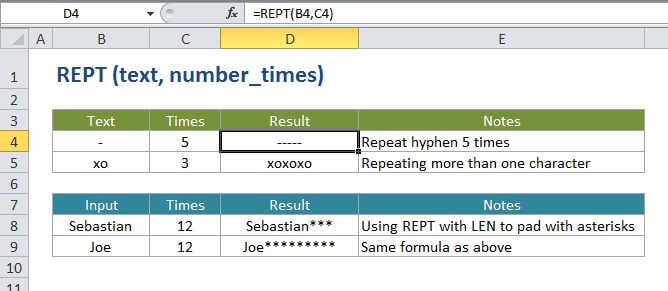
The Excel REPT function repeats characters a given number of times. For example, =REPT("x",5) returns "xxxx".
Purpose
Repeat text as specified
Return value
The repeated text.
Syntax
=REPT (text, number_times)
Arguments
- text - The text to repeat.
- number_times - The number of times to repeat text.
Usage notes
- Use the REPT function to repeat text a given number of times. This can be useful if you want to fill a cell, or pad values to a certain length.
- It's possible to build a basic histogram chart using REPT, by translating values directly into a certain number of (repeated) characters.
Excel REPT Function

Summary
The Excel REPT function repeats characters a given number of times. For example, =REPT("x",5) returns "xxxx".
Purpose
Repeat text as specified
Return value
The repeated text.
Syntax
=REPT (text, number_times)
Arguments
- text - The text to repeat.
- number_times - The number of times to repeat text.
Usage notes
- Use the REPT function to repeat text a given number of times. This can be useful if you want to fill a cell, or pad values to a certain length.
- It's possible to build a basic histogram chart using REPT, by translating values directly into a certain number of (repeated) characters.