Excel ISOWEEKNUM Function
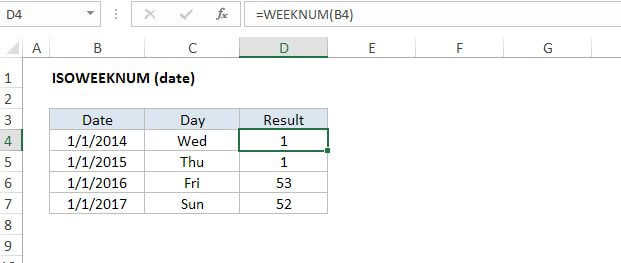
Summary
The Excel ISOWEEKNUM function takes a date and returns a week number (1-54) that follows ISO standards, where weeks begin on Monday and week number 1 is assigned to the first week in a year that contains a Thursday.
Purpose
Get ISO week number for a given date
Return value
A number between 1 and 54.
Syntax
=ISOWEEKNUM (date)
Arguments
- date - A valid Excel date in serial number format.
Usage notes
The ISOWEEKNUM function returns a week number based on ISO standards. Under this standard, weeks begin on Monday and the week number 1 is assigned to the first week in a year that contains a Thursday.