Excel MONTH Function
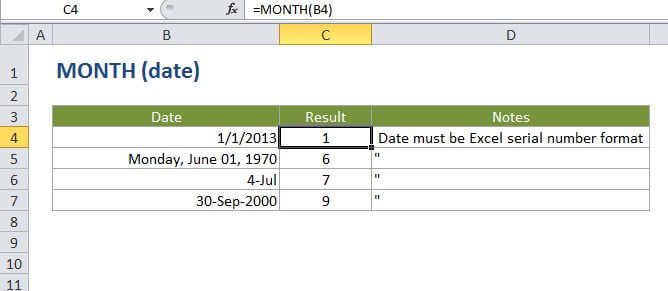
Summary
The Excel MONTH function returns the month portion of a date as number between 1 to 12 when given a date. You can use the MONTH function to extract a month number from a date into a cell. You can also use the MONTH function to feed a month number to another formula, like the DATE function.
Purpose
Get the month as a number (1-12) from a date
Return value
A number between 1 and 12.
Syntax
=MONTH (date)
Arguments
- date - A valid date in a format Excel recognizes.
Usage notes
- Date must be a valid Excel date.
- Excel stores dates as serial numbers. For example, the date Jan 1, 2000 is equal to the serial number 32526 in Excel.
- To check that Excel is correctly recognizing a date, you can temporarily format the date as a number.
- Excel only recognizes dates after 1/1/1900.