Excel NETWORKDAYS Function
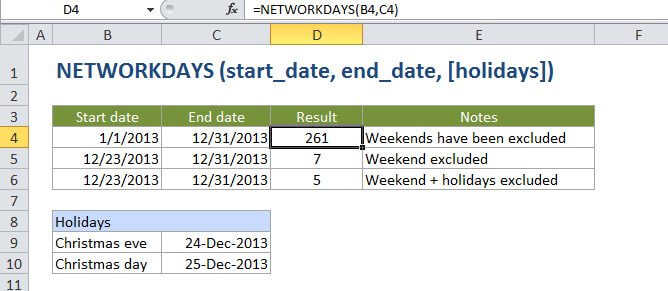
Summary
The Excel NETWORKDAYS function calculates the number of working days between two dates. NETWORKDAYS automatically excludes weekends (Saturday and Sunday) and can optionally exclude a list of holidays supplied as dates.
Purpose
Get the number of working days between two dates
Return value
A number representing days.
Syntax
=NETWORKDAYS (start_date, end_date, [holidays])
Arguments
- start_date - The start date.
- end_date - The end date.
- holidays - [optional] A list of one or more dates that should be considered non-work days.
Usage notes
The NETWORKDAYS function calculates the number of working days (business days) between two dates. NETWORKDAYS automatically excludes weekends (Saturday and Sunday) and optionally excludes holidays.
NETWORKDAYS can be used to calculate employee benefits that accrue based on days worked, the number of working days available during a project, the number of working days required to resolve a customer support issue, and so on.
Notes:
NETWORKDAYS calculates whole work days, ignoring any time values.
NETWORKDAYS will automatically exclude both Saturday and Sunday. If you need more flexibility, use the NETWORKDAYS.INTL function.
NETWORKDAYS includes both the start date and end date when calculating work days. This means if you give NETWORKDAYS the same date for start date and end date, it will return 1.