Excel TIMEVALUE Function
Summary
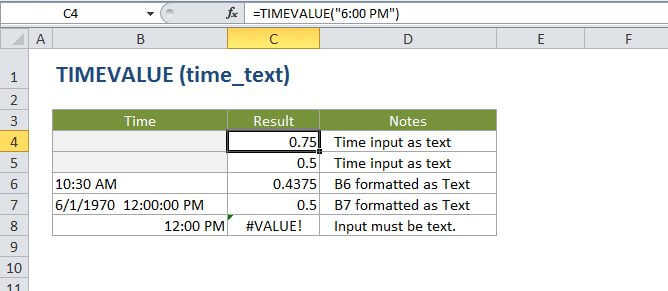
The Excel TIMEVALUE function converts a time represented as text into a proper Excel time. For example, the formula =TIMEVALUE("9:00 AM") returns 0.375, the numeric representation of 9:00 AM in Excel's time system. Numeric time values are more useful than text since they can be directly manipulated with formulas and pivot tables.
Purpose
Get a valid time from a text string
Return value
A decimal number representing a particular time in Excel.
Syntax
=TIMEVALUE (time_text)
Arguments
- time_text - A date and/or time in a text format recognized by Excel.
Usage notes
Time_text should be supplied in a text format that Excel can recognize, for example, "6:45 PM" or "17:30".
The TIMEVALUE function creates a time in serial number format from a date and/or time in an Excel text format. TIMEVALUE will return a decimal number between 0 and 0.99988426, representing 12:00:00 AM to 11:59:59 PM.
Note: date information is ignored.