Excel WEEKNUM Function
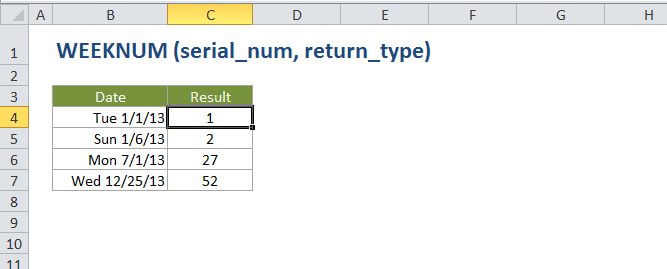
Summary
The Excel WEEKNUM function takes a date and returns a week number (1-54) that corresponds to the week of year. The WEEKNUM function starts counting with the week that contains January 1. By default, weeks begin on Sunday.
Purpose
Get the week number for a given date
Return value
A number between 1 and 54.
Syntax
=WEEKNUM (serial_num, [return_type])
Arguments
- serial_num - A valid Excel date in serial number format.
- return_type - [optional] The day the week begins. Default is 1.
Usage notes
The WEEKNUM function starts counting with the week that contains January 1. The return_type argument controls which day of the week is used to begin a new week number. Return_type is optional and defaults to 1.
With a return_type of 1-17, week number 1 in a given year is assigned to the week that contains January 1. With return_type 21, week 1 is the week containing the first Thursday of the year, following ISO 8601.
| Return_type | Week begins |
|---|---|
| 1 (default) | Sunday |
| 2 | Monday |
| 11 | Monday |
| 12 | Tuesday |
| 13 | Wednesday |
| 14 | Thursday |
| 15 | Friday |
| 16 | Saturday |
| 17 | Sunday |
| 21 | Monday (see note above) |