Excel BIN2DEC Function
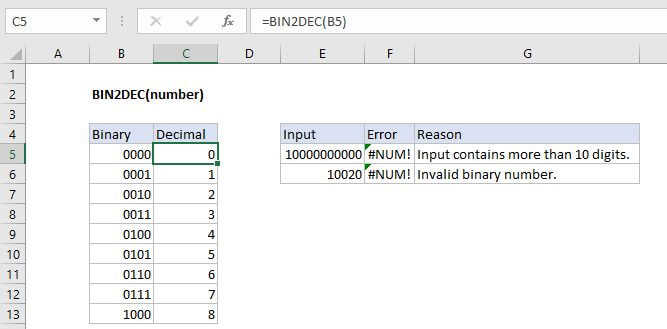
Summary
The Excel BIN2DEC function converts a binary number to the decimal equivalent. The input number must contain only zeros and ones and be less than 10 characters long, otherwise the function returns the #NUM! error value.
Purpose
Converts a binary number to decimal
Return value
Decimal Number
Syntax
=BIN2DEC (number)
Arguments
- number - The binary number you want to convert to decimal.
Usage notes
The first bit of the binary number indicates whether the number is positive or negative. The other nine digits represent the size of the number, the max of which is 511 (2^9 - 1). A negative binary number is expected to use the two's complement notation.