Excel BITAND Function
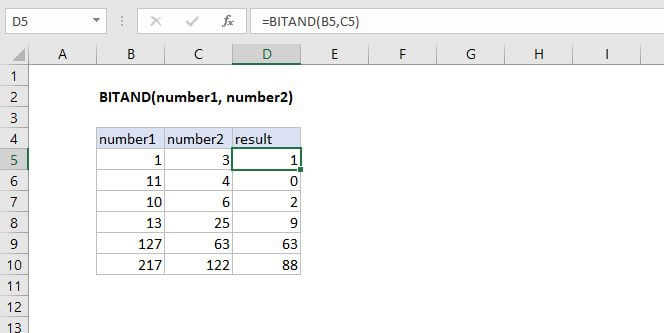
Summary
The Excel BITAND function returns a decimal number representing the bitwise AND of two numbers.
Purpose
Returns a 'Bitwise And' of two numbers
Return value
Decimal Number
Syntax
=BITAND (number1, number2)
Arguments
- number1 - A positive decimal number.
- number2 - A positive decimal number.
Usage notes
The input numbers must be greater than or equal to zero and no larger than 2^48 - 1.
How It Works
The function performs a logical AND operation on each corresponding bit in the binary representation of the two numbers.