Excel BITLSHIFT Function
Summary
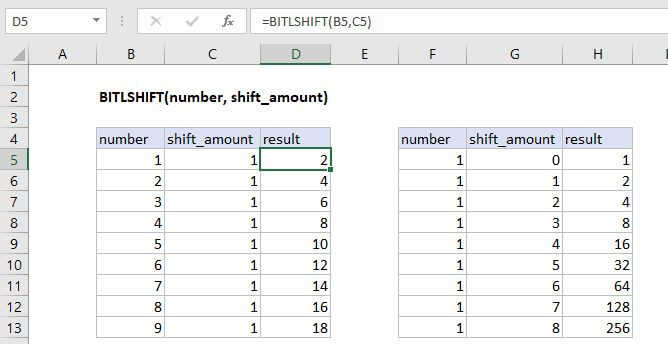
The Excel BITLSHIFT function shifts a number by the specified number of bits, effectively doubling or halving the number a specified number of times.
Purpose
Returns a number shifted left by some number of bits
Return value
Decimal Number
Syntax
=BITLSHIFT (number, shift_amount)
Arguments
- number - The number to be bit shifted.
- shift_amount - The amount of bits to shift, if negative shifts bits to the right instead.
Usage notes
For any bit shift that results in integer overflow, where the result is larger than 2^48 -1, the function returns the #NUM! error.
How It Works
The shift_amount can either be positive or negative. If a negative number is provided, the bits are shifted to the right instead.