Calculate simple interest
Generic formula 

interest=principal*rate*term

Related formulas 

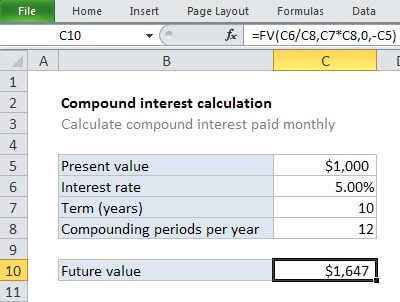
Calculate compound interest

Annual compound interest schedule

Explanation

To calculate simple interest in Excel (i.e. interest that is not compounded), you can use a formula that multiples principal, rate, and term.

This example assumes that $1000 is invested for 10 years at an annual interest rate of 5%. Simple interest means that interest payments are not compounded – the interest is applied to the principal only.

In the example shown, the formula in C8 is:

=C5*C7*C6

How this formula works

The general formula for simple interest is:

interest=principal*rate*term

So, using cell references, we have:

=C5*C7*C6=1000*10*0.05=500

Calculate simple interest

Generic formula 

interest=principal*rate*term

Related formulas 

Calculate compound interest

Annual compound interest schedule

Explanation

To calculate simple interest in Excel (i.e. interest that is not compounded), you can use a formula that multiples principal, rate, and term.

This example assumes that $1000 is invested for 10 years at an annual interest rate of 5%. Simple interest means that interest payments are not compounded – the interest is applied to the principal only.

In the example shown, the formula in C8 is:

=C5*C7*C6

How this formula works

The general formula for simple interest is:

interest=principal*rate*term

So, using cell references, we have:

=C5*C7*C6=1000*10*0.05=500