Excel DEC2OCT Function
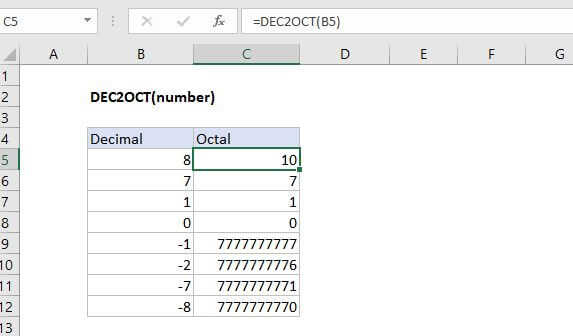
Summary
The Excel DEC2OCT function converts a decimal number to its octal equivalent.
Purpose
Converts a decimal number to octal
Return value
Octal number
Syntax
=DEC2OCT (number, [places])
Arguments
- number - The decimal number you want to convert to octal.
- places - [optional] Pads the resulting octal number with zeros up to the specified number of digits. If omitted returns the least number of characters required to represent the number.
Usage notes
The input must be a valid decimal number within the range [ -2^29, 2^29 - 1 ].
Negative Values
Excel internally represents octal numbers in binary using 30 bits. The first bit indicates whether the number is positive or negative. The remaining bits indicate the magnitude of the number.
The reason why -3 maps to 7777777775 is because excel represents negative numbers internally (in binary) using the two's complement notation. Two's complement notation, when converted to Octal, starts at the highest 10 digit octal number and goes backwards.