Excel HEX2OCT Function
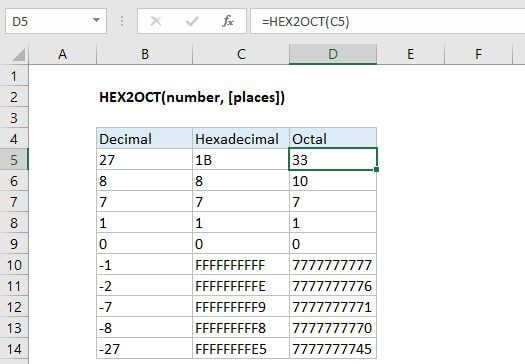
Summary
The Excel HEX2OCT function converts a hexadecimal number to its octal equivalent.
Purpose
Converts a hexadecimal number to octal
Return value
Octal number
Syntax
=HEX2OCT (number, [places])
Arguments
- number - The hexadecimal number you want to convert to octal.
- places - [optional] Pads the resulting binary number with zeros up to the specified number of digits. If omitted returns the least number of characters required to represent the number.
Usage notes
- Excel only converts to octal numbers of 10-digits or less, restricting the range of valid input to [0, 7777777777] (octal).
- The input number must be less than or equal to ten alpha-numeric characters, otherwise the function returns the #NUM! error value.
Negative Numbers
Excel interprets both octal and hexadecimal numbers using two's complement notation. Two's complement notation is a convention that computers use to represent negative numbers in binary.