Excel CUMIPMT Function
Summary
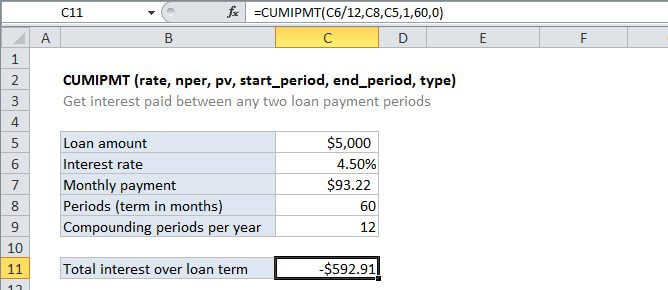
The Excel CUMIPMT function is a financial function that returns the cumulative interest paid on a loan between a start period and an end period. You can use CUMIPMT to calculate and verify the total interest paid on a loan, or the interest paid between any two payment periods.
Purpose
Get cumulative interest paid on a loan
Return value
The interest amount
Syntax
=CUMIPMT (rate, nper, pv, start_period, end_period, type)
Arguments
- rate - The interest rate per period.
- nper - The total number of payments for the loan.
- pv - The present value, or total value of all payments now.
- start_period - First payment in calculation.
- end_period - Last payment in calculation.
- type - When payments are due. 0 = end of period. 1 = beginning of period.
Usage notes
- Be consistent with inputs for rate. For example, for 5-year loan with 4.5% annual interest, enter the rate as 4.5%/12.
- The loan value (pv) must be entered as a positive value.