Convert column letter to number
Generic formula 

=COLUMN(INDIRECT(letter&"1"))

Related formulas 

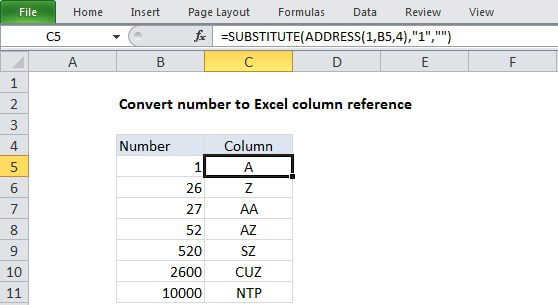
Convert column number to letter

Explanation

To convert a column letter to an regular number (e.g. 1, 10, 26, etc.) you can use a formula based on the INDIRECT and COLUMN functions.

In the example shown, the formula in C5 is:

=COLUMN(INDIRECT(B5&"1"))

How this formula works

The first step is to construct a standard "A1" style reference using the column letter, by adding a "1" with concatenation:

B5&"1"

This results in a text string like "A1" which is passed into the INDIRECT function.

Next, the INDIRECT function transforms the text into a proper Excel reference and hands the result off to the COLUMN function.

Finally, the COLUMN function evaluates the reference and returns the column number for the reference.

Convert column letter to number

Generic formula 

=COLUMN(INDIRECT(letter&"1"))

Related formulas 

Convert column number to letter

Explanation

To convert a column letter to an regular number (e.g. 1, 10, 26, etc.) you can use a formula based on the INDIRECT and COLUMN functions.

In the example shown, the formula in C5 is:

=COLUMN(INDIRECT(B5&"1"))

How this formula works

The first step is to construct a standard "A1" style reference using the column letter, by adding a "1" with concatenation:

B5&"1"

This results in a text string like "A1" which is passed into the INDIRECT function.

Next, the INDIRECT function transforms the text into a proper Excel reference and hands the result off to the COLUMN function.

Finally, the COLUMN function evaluates the reference and returns the column number for the reference.