Excel FV Function
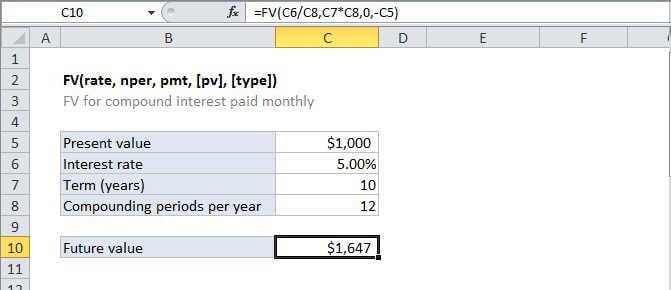
Summary
The Excel FV function is a financial function that returns the future value of an investment. You can use the FV function to get the future value of an investment assuming periodic, constant payments with a constant interest rate.
Purpose
Get the future value of an investment
Return value
future value
Syntax
=FV (rate, nper, pmt, [pv], [type])
Arguments
- rate - The interest rate per period.
- nper - The total number of payment periods.
- pmt - The payment made each period. Must be entered as a negative number.
- pv - [optional] The present value of future payments. If omitted, assumed to be zero. Must be entered as a negative number.
- type - [optional] When payments are due. 0 = end of period, 1 = beginning of period. Default is 0.
Usage notes
The future value (FV) function calculates the future value of an investment assuming periodic, constant payments with a constant interest rate.
Notes:
1. Units for rate and nper must be consistent. For example, if you make monthly payments on a four-year loan at 12 percent annual interest, use 12%/12 (annual rate/12 = monthly interest rate) for rate and 4*12 (48 payments total) for nper. If you make annual payments on the same loan, use 12% (annual interest) for rate and 4 (4 payments total) for nper.
2. If pmt is for cash out (i.e deposits to saving, etc), payment value must be negative; for cash received (income, pidends), payment value must be positive.