Excel ISBLANK Function
Summary
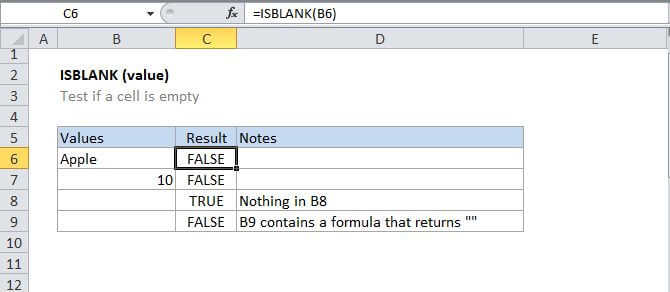
The Excel ISBLANK function returns TRUE when a cell contains is empty, and FALSE when a cell is not empty. For example, if A1 contains "apple", ISBLANK(A1) returns FALSE.
Purpose
Test if a cell is empty
Return value
A logical value (TRUE or FALSE)
Syntax
=ISBLANK (value)
Arguments
- value - The value to check.
Usage notes
Use the ISBLANK function to test if a cell is empty or not.
For example, =ISBLANK(A1) will return TRUE if A1 is empty, and FALSE if A1 contains text a formula (even if the formula returns an empty string "").
It's probably best to think of ISBLANK to mean "is empty" since it can return FALSE when cells look blank but aren't. For example, if A1 contains a space character (" "), or a formula that returns an empty string (""), A1 will look blank , but ISBLANK(A1) will return FALSE in both cases.