Excel ISERR Function
Summary
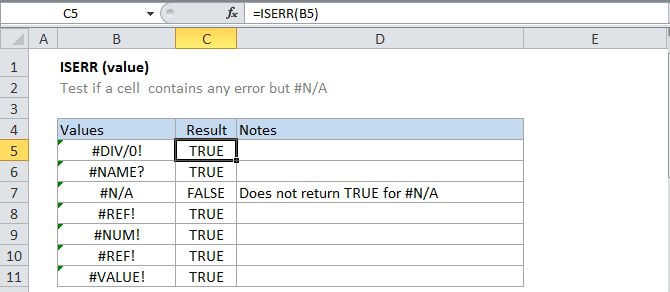
The Excel ISERR function returns TRUE for any error type except the #N/A error. You can use the ISERR function together with the IF function to test for an error and display a custom message, or perform a different calculation if found.
Purpose
Test for any error but #N/A
Return value
A logical value (TRUE or FALSE)
Syntax
=ISERR (value)
Arguments
- value - The value to check for any error but #N/A.
Usage notes
Use the ISERR function to see if a cell has an error except for #N/A. This includes #VALUE!, #REF!, #DIV/0!, #NUM!, #NAME?, or #NULL!
For example, =ISERR(A1) will return TRUE if A1 is is displaying the error message mentioned above.
Normally, value is supplied as a cell address.
ISERR is part of a group of functions called the "is" functions, which are often used to test the result of formulas for errors.