Excel ISERROR Function
Summary
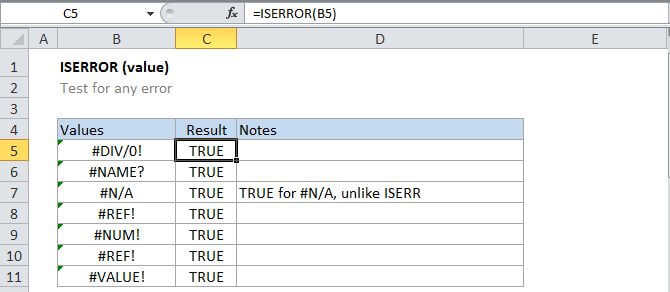
The Excel ISERROR function returns TRUE for any error type that excel generates, including #N/A, #VALUE!, #REF!, #DIV/0!, #NUM!, #NAME?, or #NULL! You can use the ISERR function together with the IF function to test for an errors and display a custom message, or run a different calculation when found.
Purpose
Test for any error
Return value
A logical value (TRUE or FALSE)
Syntax
=ISERROR (value)
Arguments
- value - The value to check for any error.
Usage notes
Use the ISERROR function to see if a cell contains any error message, including #N/A, #VALUE!, #REF!, #DIV/0!, #NUM!, #NAME?, or #NULL!
For example, =ISERROR(A1) will return TRUE if A1 is is displaying an one of the errors mentioned above , and FALSE if not.
Frequently, value is supplied as a cell address, but you can use it to trap errors inside more complex formulas as well.