Excel ISFORMULA Function
Summary
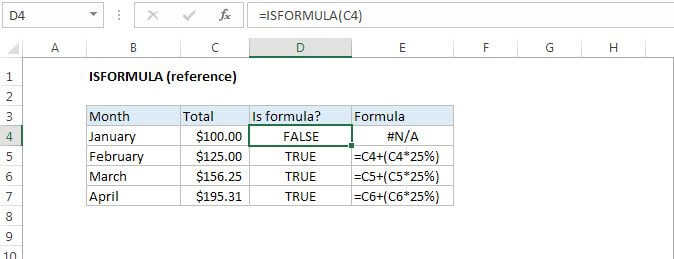
The Excel ISFORMULA function returns TRUE when a cell contains a formula, and FALSE if not. When a cell contains a formula ISFORMULA will return TRUE regardless of the formula's output or error conditions.
Purpose
Test if cell contains a formula
Return value
TRUE or FALSE
Syntax
=ISFORMULA (reference)
Arguments
- reference - Reference to cell or cell range.
Usage notes
You can use the ISFORMULA function to test a cell to see if it contains a formula. ISFORMULA returns TRUE when a cell contains a formula and FALSE if not.
Remember that you can temporarily display all formulas in a worksheet with a keyboard shortcut.
To extract and display a formula, use the FORMULATEXT function.
Notes:
- ISFORMULA was introduced in Excel 2013.