Excel ISNONTEXT Function
Summary
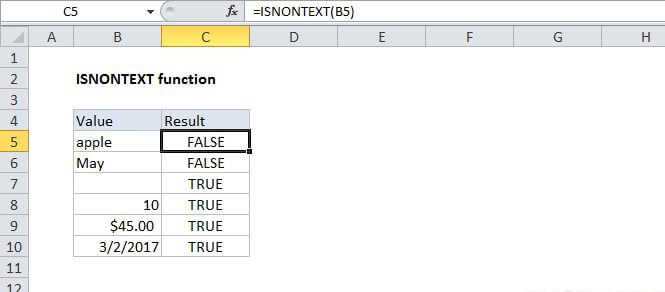
The Excel ISNONTEXT function returns TRUE for any non-text value, for example, a number, a date, a time, etc. The ISNONTEXT function also returns TRUE for blank cells, and for cells with formulas that return non-text results.
Purpose
Test for a non-text value
Return value
A logical value (TRUE or FALSE)
Syntax
=ISNONTEXT (value)
Arguments
- value - The value to check.
Usage notes
Use the ISNONTEXT function to check if a value is not text. ISNA will return TRUE when value is a non-text value, for example, a number, a date, a time, etc. The ISNONTEXT function also returns TRUE for blank cells, and for cells with formulas that return non-text results.
ISNONTEXT is part of a group of functions called the IS functions that return the logical values TRUE or FALSE.