Excel ISREF Function
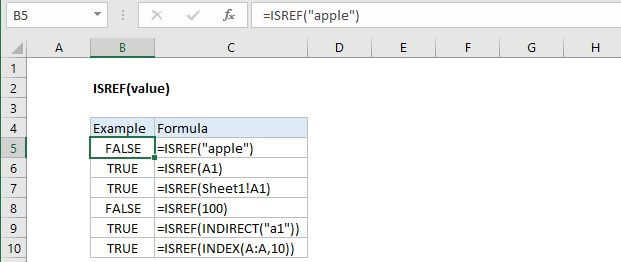
Summary
The Excel ISREF returns TRUE when a cell contains a reference and FALSE if not. You can use the ISREF function to check if a cell contains a valid reference.
Purpose
Test for a reference
Return value
A logical value (TRUE or FALSE)
Syntax
=ISREF (value)
Arguments
- value - The value to check.
Usage notes
Use the ISREF function to check if value is a reference. ISREF will return TRUE when value is a reference and FALSE if not.
For example, =ISREF(A1) will return TRUE and =ISREF("apple") will return false.
ISREF is part of a group of functions called the IS functions that all return the logical values TRUE or FALSE.