Excel N Function
Summary
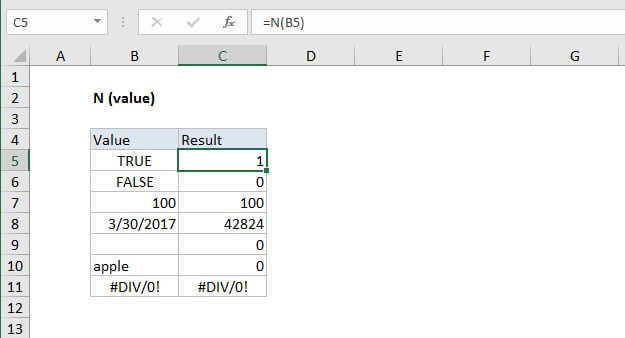
The Excel N function returns a number when given a value. The N function can be used to convert TRUE and FALSE to 1 and 0 respectively. When given a text value, the N function returns zero.
Purpose
Convert a value to a number
Return value
A number or error code
Syntax
=N (value)
Arguments
- value - The value to convert to a number.
Usage notes
Use the N function to convert value to a number. Values are converted according the the following table:
| Input value | Return value |
|---|---|
| Any number | Same number |
| A recognized date | A date in Excel serial number format |
| TRUE | 1 |
| FALSE | 0 |
| An error code (#VALUE, #N/A, etc) | Same error code |
| Other values | 0 |
In most cases, using the N function is unnecessary, because Excel automatically converts values when needed.
The N function is provided for compatibility with other spreadsheet programs.