Excel TYPE Function
Summary
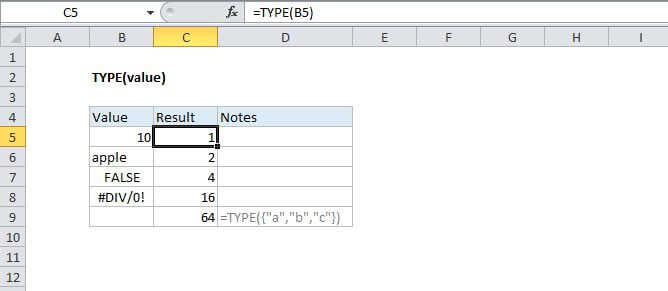
The Excel TYPE function returns a numeric code representing "type" in 5 categories: number = 1, text = 2, logical = 4, error = 16, and array = 64. Use TYPE when the operation of a formula depends on the type of value in a particular cell.
Purpose
Get the type of value in a cell
Return value
A numeric code representing type
Syntax
=TYPE (value)
Arguments
- value - The value to check the type of.
Usage notes
Use TYPE to test the value in a particular cell so that other functions that depend on the type can perform as expected. The table below shows the possible type codes returned from TYPE and the meaning of each:
| Type code | Meaning |
|---|---|
| 1 | Number |
| 2 | Text |
| 4 | Logical value |
| 16 | Error value |
| 64 | Array |
Notes:
- You can't use TYPE to test for a formula, because TYPE evaluates the result of formulas and functions.
- You can use TYPE to find out the type of data that is returned by a function or formula.